Articles
3/16/2026
10 minutes

Agentforce Developer Guide

Written by
Team Copado
Table of contents

Agentforce Developer Guide: Build Smarter, Ship Faster, and Scale with Confidence

Building with Agentforce opens up a world of possibilities, but getting started can feel like stepping into a maze. Between architecture decisions, integrations, and deployment strategies, it’s easy to lose momentum before you even see results.

A clear, practical Agentforce developer guide makes all the difference. And when paired with the right DevOps foundation, you can build and deliver impact faster and with more confidence.

Developer Foundations for Building with Agentforce

Agentforce is a dynamic framework designed to bring intelligent automation and AI-driven interactions into your workflows. Before you write a single line of code, it’s worth grounding yourself in the essentials. 

To get started, you’ll need a solid grasp of Salesforce fundamentals, including Apex, Lightning Web Components, and data modeling. But more importantly, you need to understand how Salesforce Agentforce works in practice.

At its core, Agentforce blends automation, AI, and event-driven processes to create responsive, adaptive systems. With the right foundation, the complexity of building features and shaping intelligent experiences feels manageable and exciting.

Agentforce Architecture and Development Model

Agentforce operates on a modular architecture where components, data models, and events work together like a well-rehearsed team. Think of it this way:

  • Components handle user interaction and logic execution.
  • Data models structure and store critical information.
  • Events trigger actions and workflows in real time.

This event-driven model is what makes Agentforce so powerful. Instead of rigid, linear processes, you get systems that react dynamically to changes, whether that’s user input, system updates, or external signals.

It also helps clarify common comparisons like Agentforce vs Einstein. While Einstein focuses heavily on AI predictions and insights, Agentforce goes further by embedding intelligence directly into execution flows.

Core Development Practices

An Agentforce builder needs as much discipline as creativity. The right practices will help you ship and scale.

Working with APIs, SDKs, and Integrations

Using APIs and SDKs, you can integrate internal Salesforce data with external platforms like ERPs, customer support tools, or third-party AI services. This is where Agentforce solutions truly shine, turning disconnected systems into a unified, intelligent workflow.

The key is to design integrations with resilience in mind. Salesforce developers should know well enough to handle rate limits, validate inputs, and always plan for the unexpected.

Implementing Logic, Events, and Error Handling

Agentforce relies heavily on event-driven logic, which means your code needs to respond to triggers reliably and predictably. That includes:

  • Structuring logic in reusable, modular ways
  • Handling edge cases before they become production issues
  • Building robust error-handling mechanisms

Because when something breaks in an event-driven system, it can ripple quickly. When you anticipate failure points, you reduce chaos and keep things moving.

Testing, Debugging, and Performance Optimization

Testing in Agentforce should cover both functional and event-driven scenarios. Unit tests are essential, but so is simulating real-world workflows. Debugging tools within Salesforce help, but performance monitoring is where you’ll uncover deeper insights. This level of optimization ensures that your solutions scale smoothly as usage grows.

Deploying Agentforce Code Using Copado

Deployment shouldn’t feel like a gamble, yet without the right process, it often does. Copado changes that.

As a Salesforce-native DevOps platform, Copado brings CI/CD, version control, and release management into one seamless experience. Instead of juggling tools or crossing your fingers on release day, you get a clear, controlled pipeline from development to production.

This is where AI DevOps solutions step in as a force multiplier. Copado’s intelligence learns from your metadata and deployment history, helping you predict risks before they become problems.

Best Practices for Long-Term Maintainability

Building is one thing, but sustaining is another. To keep your Agentforce implementation healthy over time, focus on:

  • Scalability: Design systems that grow with your business.
  • Security: Protect data with Salesforce-native controls and best practices.
  • Lifecycle management: Continuously refine and evolve your solutions.

It’s tempting to focus on short-term wins, but long-term success comes from consistency. Clean code, clear documentation, and thoughtful architecture decisions pay dividends down the road.

Turn Your Agentforce Builds into Real-World Impact with Copado

Agentforce gives you the tools to build intelligent, responsive systems, but tools alone aren’t enough. You need clarity, control, and confidence.

By combining Salesforce-native DevOps with AI-powered insights, Copado helps you turn ideas into impact, faster and with less friction. You’re not just writing code; you’re delivering outcomes that matter.

And when everything clicks, you can stop worrying about releases, and start focusing on what you can build next.

Sources

Book a demo

About The Author

#1 DevOps Platform for Salesforce

We build unstoppable teams by equipping DevOps professionals with the platform, tools and training they need to make release days obsolete. Work smarter, not longer.

Accelerating the Agentic Era in Brazil: Copado and Capgemini Deepen Strategic Partnership
Salesforce Source Format vs Metadata Format
Get Started with Agentforce in Salesforce
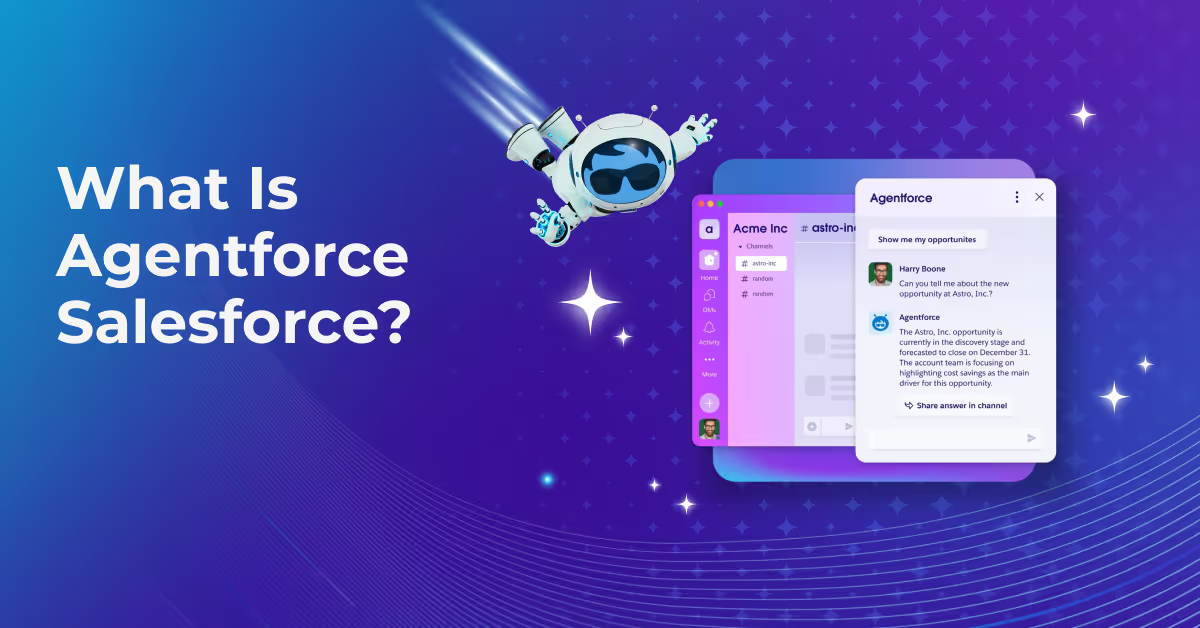
What Is Agentforce Salesforce?
Will AI Replace DevOps Jobs?
How to Use AI in DevOps
Agentic AI DevOps Explained
Copado Introduces Agentia™, Bringing Context-Aware AI Agents to Salesforce DevOps
How Does Salesforce Agentforce Work
Agentforce vs Einstein: Choosing the Right AI to Move from Insight to Action
Agentforce Developer Guide
DevOps Pipeline Best Practices
DevSecOps vs. DevOps
DevOps vs. Agile
Generative AI in DevOps
How DevOps Teams Use AI to Win
Using AI in DevOps
Agentic AI in DevOps: Automation Solutions for Teams
Copado Awarded on CarahSoft’s GSA Schedule, Expanding Access for Federal Agencies
Salesforce Agentforce AI Capabilities and Solutions
Salesforce AI Agent Software Features for DevOps Teams
Copado Renews FedRAMP Authorization and Advances Toward IL5 to Support U.S. Military Organizations
Copado Appoints Rajit Joseph as Chief Product Officer to Accelerate AI-Driven Customer Success and Product Innovation
Copado Recognized in Salesforce 2025 Partner Innovation Awards
Copado Appoints Gaurav Kheterpal as Chief Evangelist to Accelerate Global DevOps Community Growth
Copado CI/CD & Robotic Testing Now TX-RAMP Certified for Texas Government
Org Intelligence: Why Context Matters So Much in Salesforce DevOps Tools
Hubbl Technologies and Copado Forge Strategic Alliance to Power AI-Driven DevOps with Deep SaaS Context
From Chaos to Control: Why Public Sector Teams Are Moving Beyond Manual Pipelines
Copado Hosts India's Flagship DevOps Conference in Response to Overwhelming Demand
What Does “Org Intelligence” Really Mean for Salesforce Teams?
Copado Launches Org Intelligence to Provide End-to-End Visibility into Salesforce Environments
Why Pipeline Visibility Is Key to Successful Salesforce DevOps Transformation
Copado Robotic Testing Now in AWS Marketplace, AI-Powered Salesforce Test Automation at Scale
Navigating User Acceptance Testing on Salesforce: Challenges, Best Practices and Strategy
Navigating Salesforce Data Cloud: DevOps Challenges and Solutions for Salesforce Developers
Chapter 8: Salesforce Testing Strategy
Beyond the Agentforce Testing Center
How to Deploy Agentforce: A Step-by-Step Guide
How AI Agents Are Transforming Salesforce Revenue Cloud
The Hidden Costs of Building Your Own Salesforce DevOps Solution
Chapter 7 - Talk (Test) Data to Me
Copado Announces DevOps Automation Agent on Salesforce AgentExchange
CPQ and Revenue Cloud Deployment: A DevOps Approach
Copado Launches AI-Powered DevOps Agents on Slack Marketplace
Redefining the Future of DevOps: Salesforce’s Pioneering Ideas and Innovations
Copado Announces DevOps Support for Salesforce Data Cloud, Accelerating AI-Powered Agent Development
AI-Powered Releasing for Salesforce DevOps
Top 3 Pain Points in DevOps — And How Copado AI Platform Solves Them
Copado AI Platform: A New Era of Salesforce DevOps
Copado Expands Its Operations in Japan with SunBridge Partners
Chapter 6: Test Case Design
Article: Making DevOps Easier and Faster with AI
Chapter 5: Automated Testing
Reimagining Salesforce Development with Copado's AI-Powered Platform
Planning User Acceptance Testing (UAT): Tips and Tricks for a Smooth and Enjoyable UAT
What is DevOps for Business Applications
Testing End-to-End Salesforce Flows: Web and Mobile Applications
Copado Integrates Powerful AI Solutions into Its Community as It Surpasses the 100,000 Member Milestone
How to get non-technical users onboard with Salesforce UAT testing
DevOps Excellence within Salesforce Ecosystem
Best Practices for AI in Salesforce Testing
6 testing metrics that’ll speed up your Salesforce release velocity (and how to track them)
Chapter 4: Manual Testing Overview
AI Driven Testing for Salesforce
Chapter 3: Testing Fun-damentals
AI-powered Planning for Salesforce Development
Salesforce Deployment: Avoid Common Pitfalls with AI-Powered Release Management
Exploring DevOps for Different Types of Salesforce Clouds
Copado Launches Suite of AI Agents to Transform Business Application Delivery
What’s Special About Testing Salesforce? - Chapter 2
Why Test Salesforce? - Chapter 1
Continuous Integration for Salesforce Development
Comparing Top AI Testing Tools for Salesforce
Avoid Deployment Conflicts with Copado’s Selective Commit Feature: A New Way to Handle Overlapping Changes
From Learner to Leader: Journey to Copado Champion of the Year
The Future of Salesforce DevOps: Leveraging AI for Efficient Conflict Management
A Guide to Using AI for Salesforce Development Issues
How To Sync Salesforce Environments | Copado
Copado and Wipro Team Up to Transform Salesforce DevOps
DevOps Needs for Operations in China: Salesforce on Alibaba Cloud
What is Salesforce Deployment Automation? How to Use Salesforce Automation Tools
Maximizing Copado's Cooperation with Essential Salesforce Instruments
From Chaos to Clarity: Managing Salesforce Environment Merges and Consolidations
Future Trends in Salesforce DevOps: What Architects Need to Know
Enhancing Customer Service with CopadoGPT Technology
What is Efficient Low Code Deployment?
Copado Launches Test Copilot to Deliver AI-powered Rapid Test Creation
Cloud-Native Testing Automation: A Comprehensive Guide
A Guide to Effective Change Management in Salesforce for DevOps Teams
Building a Scalable Governance Framework for Sustainable Value
Copado Launches Copado Explorer to Simplify and Streamline Testing on Salesforce
Exploring Top Cloud Automation Testing Tools
Master Salesforce DevOps with Copado Robotic Testing
Exploratory Testing vs. Automated Testing: Finding the Right Balance
A Guide to Salesforce Source Control | Copado
A Guide to DevOps Branching Strategies
Family Time vs. Mobile App Release Days: Can Test Automation Help Us Have Both?
How to Resolve Salesforce Merge Conflicts | Copado
Copado Expands Beta Access to CopadoGPT for All Customers, Revolutionizing SaaS DevOps with AI
Go back to resources
There is no previous posts
Go back to resources
There is no next posts

Explore more about

Agentforce
Articles
May 12, 2026
Accelerating the Agentic Era in Brazil: Copado and Capgemini Deepen Strategic Partnership
Articles
May 8, 2026
Salesforce Source Format vs Metadata Format
Articles
May 7, 2026
Get Started with Agentforce in Salesforce
Articles
May 5, 2026
What Is Agentforce Salesforce?

Activate AI — Accelerate DevOps

Release Faster, Eliminate Risk, and Enjoy Your Work.
Try Copado Devops.

Resources

Explore our DevOps resource library. Level up your Salesforce DevOps skills today.

Upcoming Events & Webinars

E-Books and Whitepapers

Support and Documentation

Demo Library